Force install W10 & 11 on older CPUs , after sometime they will corrupt the BIOS and the system useless.


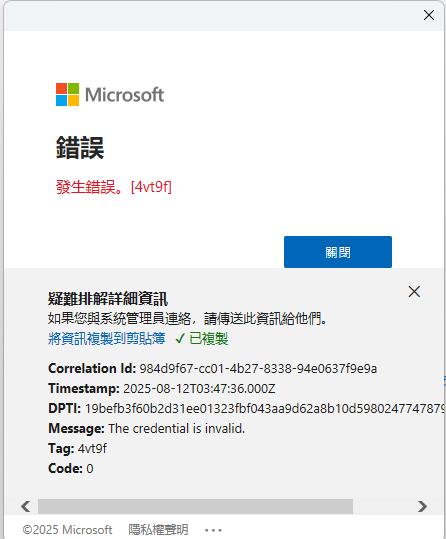
                                方法一:How to Fix Microsoft Error 4VT9F?

                                You just neet to open services.

                                Scroll down and find M.

                                you want to com across Microsoft Account Sign-In Assistant.

                                What you need to do is double-click on it.

                                A window will pop up.

                                You neet to head over to Startup Type and make it Automatics.

                                Make sure it's running.

                                Then,click on Apply and OK.

                                Right-click on it, and click on Restart.

                                If it doesn't, then just restart you computer and try again.
方法二:清除身份驗證快取檔案

                                若你是在 Windows 環境下使用 Outlook,可嘗試刪除以下資料夾中的快取檔案:

                                C:\Users\%username%\AppData\Local\Microsoft\OneAuth\blobs

                                C:\Users\%username%\AppData\Local\Microsoft\OneAuth\accounts

                                C:\Users\%username%\AppData\Local\Microsoft\IdentityCache

                                刪除後重新啟動 Outlook 並重新登入帳號。